
Urgency from real data only.
A countdown, a "booked N times" badge and recent-booking popups for your trip pages.
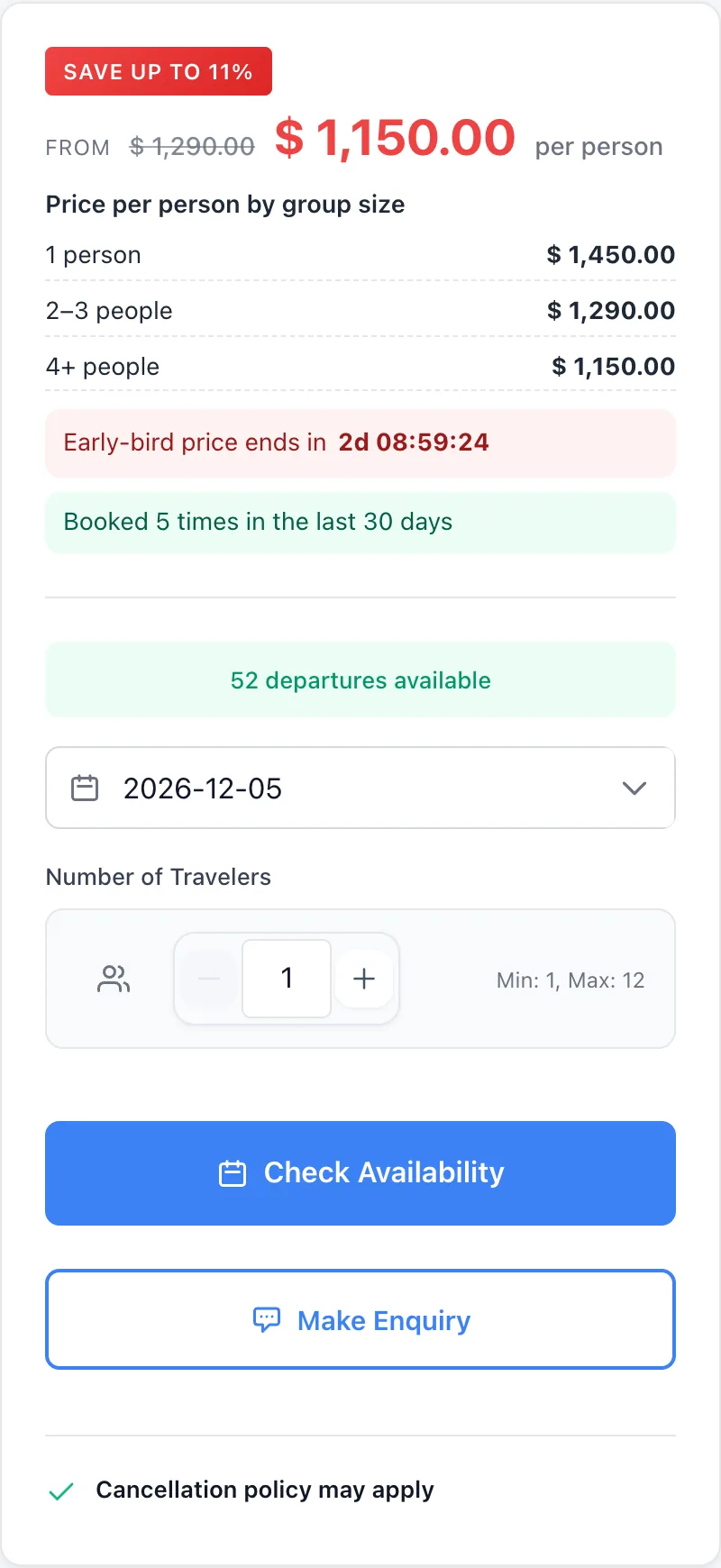
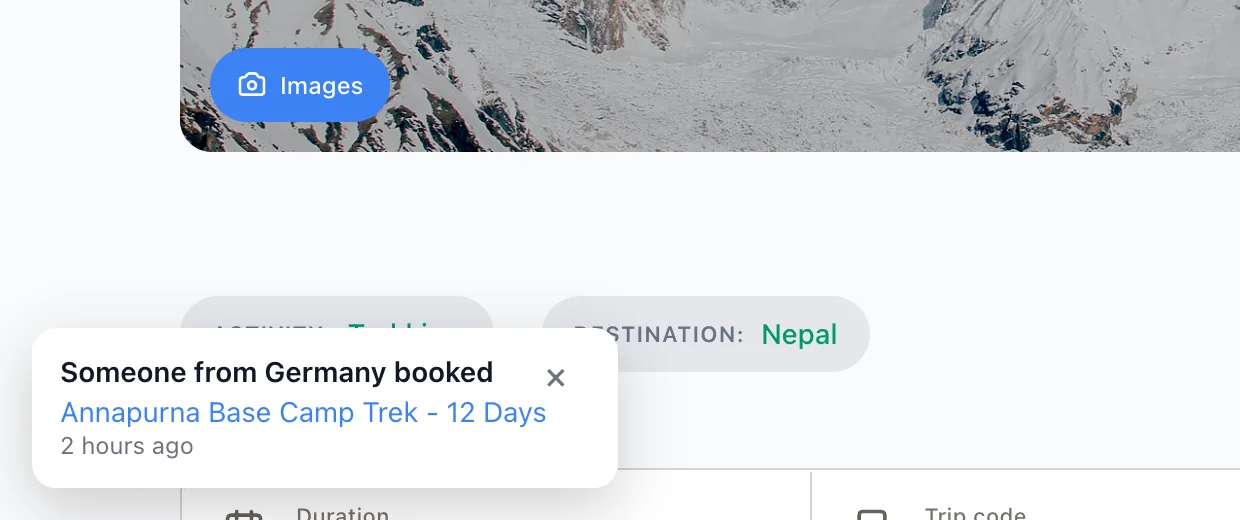
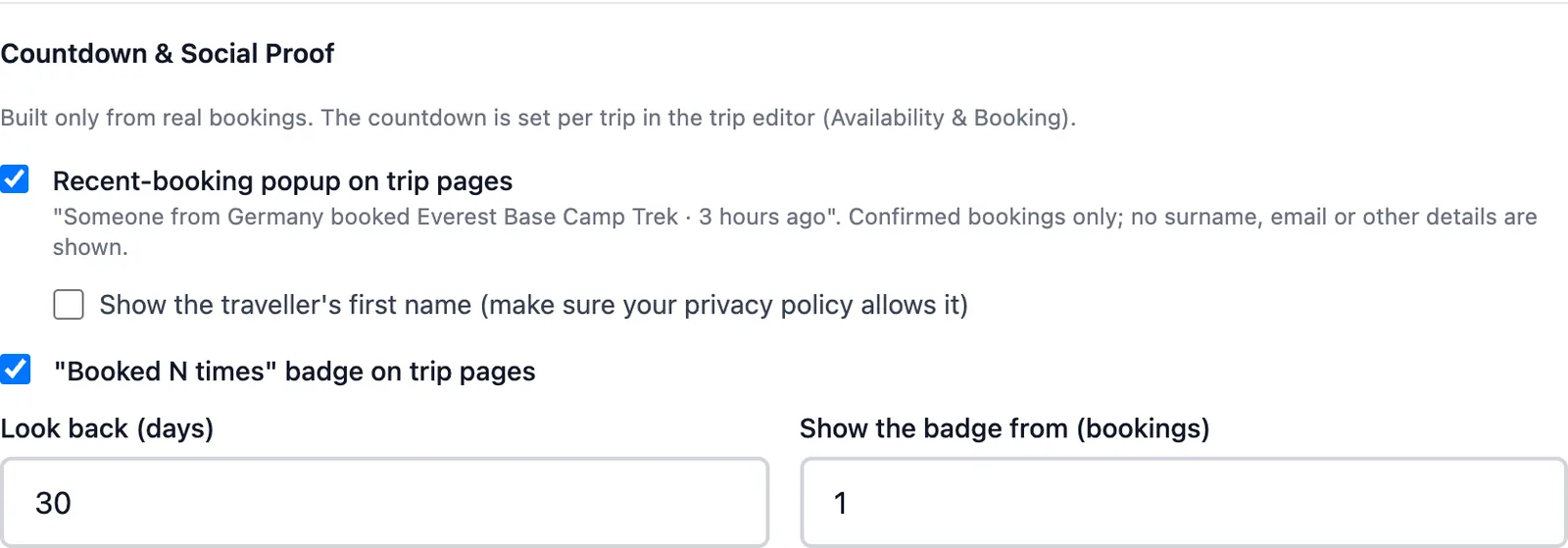
Show a countdown on the booking card to an offer's end or the next departure, a "Booked 5 times in the last 30 days" badge, and a small popup such as "Someone from Germany booked Everest Base Camp Trek · 3 hours ago". The badge and popup come only from confirmed and completed bookings.
Single payment per year · 14-day refund · One Pro license unlocks every module on this tier.
Why Countdown & Social Proof matters for tour operators
Visitors weigh a trip for days. A deadline they can see and signs that other people book help them decide. Fake timers and invented "someone just booked" messages do the opposite once a visitor notices.
What changes once Countdown & Social Proof is on
Concrete operational outcomes — not feature checkboxes.
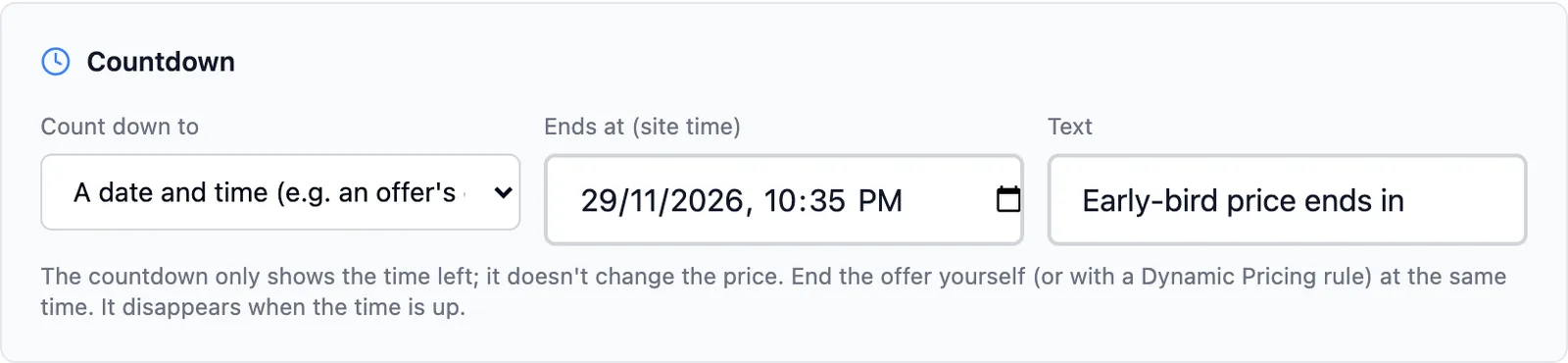
- Count down to a date and time you set, or to the trip's next departure that isn't sold out.
- Show a "Booked N times" badge once a trip reaches the number of bookings you choose.
- Show up to 5 recent bookings per page view in a popup, with the trip, the traveller's country and how long ago.
- Never send an email address, surname, phone number or booking reference to the page.
See Countdown & Social Proof in Yatra
Real screens from a Yatra demo site. Click to enlarge.
What Countdown & Social Proof unlocks in Yatra
Every surface, every toggle, every audit trail — covered.
Countdown (per trip)
No countdown, a date and time, or the next departure, with your own text such as Early-bird price ends in.
Badge
Shown from the number of bookings you set, counted over the look-back window (default 30 days).
Recent-booking popup
One booking at a time. Visitors can close it for the rest of their session. Adding the first name is optional.
What counts
Only confirmed and completed bookings of published trips.
Pairs with these Yatra Pro modules
Other modules that compose naturally with Countdown & Social Proof. All on the same Pro license — toggle as you need them.
Dynamic Pricing
Pro · StarterDynamic Pricing adjusts each trip's price from rules you set: early bird, last minute, demand, seats left, season and day of week. Each rule adds or takes off …
Reviews & Ratings
FreeCustomers rate and review trips on the trip page. You decide what goes live in Yatra → Reviews, Yatra can email a review request after the trip, and approved r…
Abandoned Booking Recovery
Pro · StarterWhen a traveler enters their email on your booking form and leaves without booking, Yatra records it and sends up to three reminder emails. Each one links back…
How to set up Countdown & Social Proof in Yatra
No engineering. Open Yatra → Modules, toggle, follow the wizard.
-
1
Turn it on
Yatra → Modules → Countdown & Social Proof.
-
2
Set a countdown
Edit a trip → Availability & Booking → Countdown.
-
3
Set the badge and popup
Yatra → Settings → Booking → Countdown & Social Proof.
Urgency you can stand behind.
Countdown & Social Proof — Yatra Pro FAQ
Want to feel Countdown & Social Proof in action first? Try Yatra Pro free →
Does the countdown change the price when it ends?
Are the recent bookings real?
What personal data does the popup show?
Which plan do I need?
Add Countdown & Social Proof to your tour-booking website today.
Yatra Pro · Starter tier · Yearly or Lifetime · any plan · needs Yatra 3.3+
14-day refund · One license unlocks every module on your tier.