
Win back the customer who half-booked then disappeared.
Recover 8–15% of abandoned tour bookings — on autopilot.
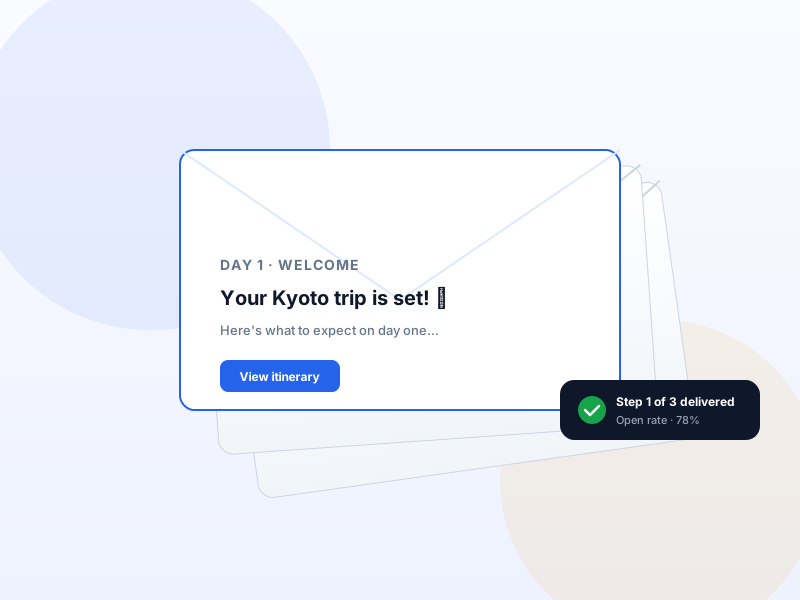
A 3-step automated email sequence with personalised one-click recovery links. Each link drops the customer back into the exact trip + traveler-count combo they were on. Recovered-revenue reporting attributes lift back to the module.
Single payment per year · 14-day refund · One Pro license unlocks every module on this tier.
Why Abandoned Booking Recovery matters for tour operators
Most tour operators lose 60–70% of customers who reach the checkout page. The reasons are mundane: kid distraction, partner negotiation, "let me think about it tomorrow". Without a recovery sequence, those bookings are gone. With one, ~10% come back and complete the booking — completely passively.
What changes once Abandoned Booking Recovery is on
Concrete operational outcomes — not feature checkboxes.
- Recover 8–15% of abandoned checkouts via three-step email automation.
- One-click recovery link drops the customer back into the same trip + traveler count + date — zero re-entry.
- Configurable sequence — T+1h, T+24h, T+72h — with custom subject lines and templates per step.
- Recovered-revenue report — see which step recovers most, which trips have highest abandonment.
- Privacy-first — only customers who entered an email at checkout get into the sequence.
What Abandoned Booking Recovery unlocks in Yatra
Every surface, every toggle, every audit trail — covered.
Three-step sequence
Editable timing and copy. Common cadence: T+1h "you left this behind", T+24h "still thinking about it?", T+72h "want a 10% nudge?".
Personalised recovery URL
Per-customer signed link that restores their exact cart — same trip, same date, same traveler counts.
Abandoned bookings inbox
Admin view of every abandoned cart with customer email, trip, value, sequence step status.
Revenue-recovered report
How much revenue the module has recovered to date. Attribution per sequence step.
Manual recovery hooks
Admin can send a one-off custom recovery email from any abandoned-cart row.
Pairs with these Yatra Pro modules
Other modules that compose naturally with Abandoned Booking Recovery. All on the same Pro license — toggle as you need them.
Email Automation
Pro · StarterWelcome, T-7 reminder, T-1 reminder, post-trip review request, win-back at +90 days. Yatra runs the whole sequence from your WordPress, audience-filtered, with…
Dynamic Pricing
Pro · StarterAuto-adjust trip prices by season, demand, early-bird, last-minute, weekday, or inventory level. Six rule types with stacking and priority. The same revenue-ma…
Facebook Pixel
Pro · StarterDrop the Meta Pixel in three clicks. Fire ViewContent, InitiateCheckout, Purchase, AddPaymentInfo automatically. Server-side Conversions API survives iOS 14.5+…
The SaaS this replaces
Same capability. Without the monthly bill or the data middleman.
How to set up Abandoned Booking Recovery in Yatra
No engineering. Open Yatra → Modules, toggle, follow the wizard.
-
1
Enable the module
Yatra → Modules → Abandoned Booking Recovery → toggle on. New menu entry appears.
-
2
Edit the three step templates
Defaults are good; tweak subject lines + copy to your brand voice. Merge tags for trip + traveler counts are wired.
-
3
Set delays
Default: T+1h / T+24h / T+72h. Most operators leave this alone — these numbers come from broad e-commerce research.
-
4
Verify
Start a booking with your email then close the tab. Watch the three emails fire across the next 3 days. Click the recovery link to verify cart restoration.
On 100 abandoned bookings/month at $400 avg, +10% recovery = $4k/month lift.
Abandoned Booking Recovery — Yatra Pro FAQ
Want to feel Abandoned Booking Recovery in action first? Try Yatra Pro free →
Is the recovery email GDPR-compliant?
Does the recovery link expire?
What if the customer completes the booking via a different channel?
Add Abandoned Booking Recovery to your tour-booking website today.
Yatra Pro · Starter tier · Yearly or Lifetime
14-day refund · One license unlocks every module on your tier.