
Know where to collect every traveller.
Let customers choose their pickup point at checkout.
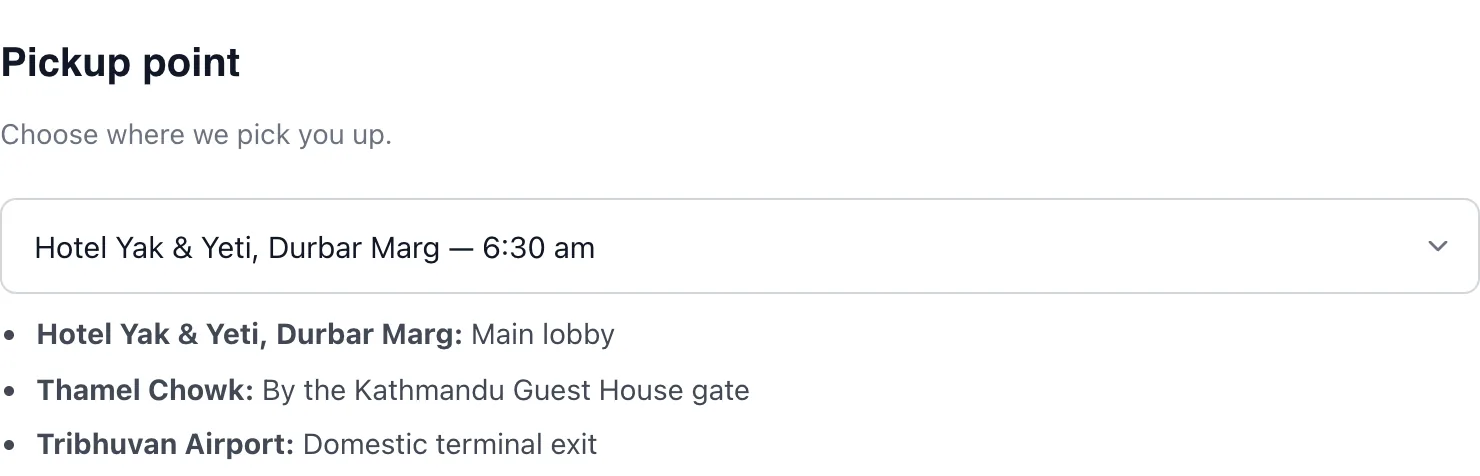
List the hotels, meeting points or stops you pick up from on each trip, with an optional time and directions. The customer chooses one at checkout, and the choice shows on the booking, in My Account, on the departure manifest and in your emails.
Bundled in the free Yatra plugin · Listed on WordPress.org
Why Pickup Points matters for tour operators
For day tours and transfers, "where do we pick you up?" is a follow-up email after every booking. Answers arrive late or not at all, and the driver's list is built by hand.
What changes once Pickup Points is on
Concrete operational outcomes — not feature checkboxes.
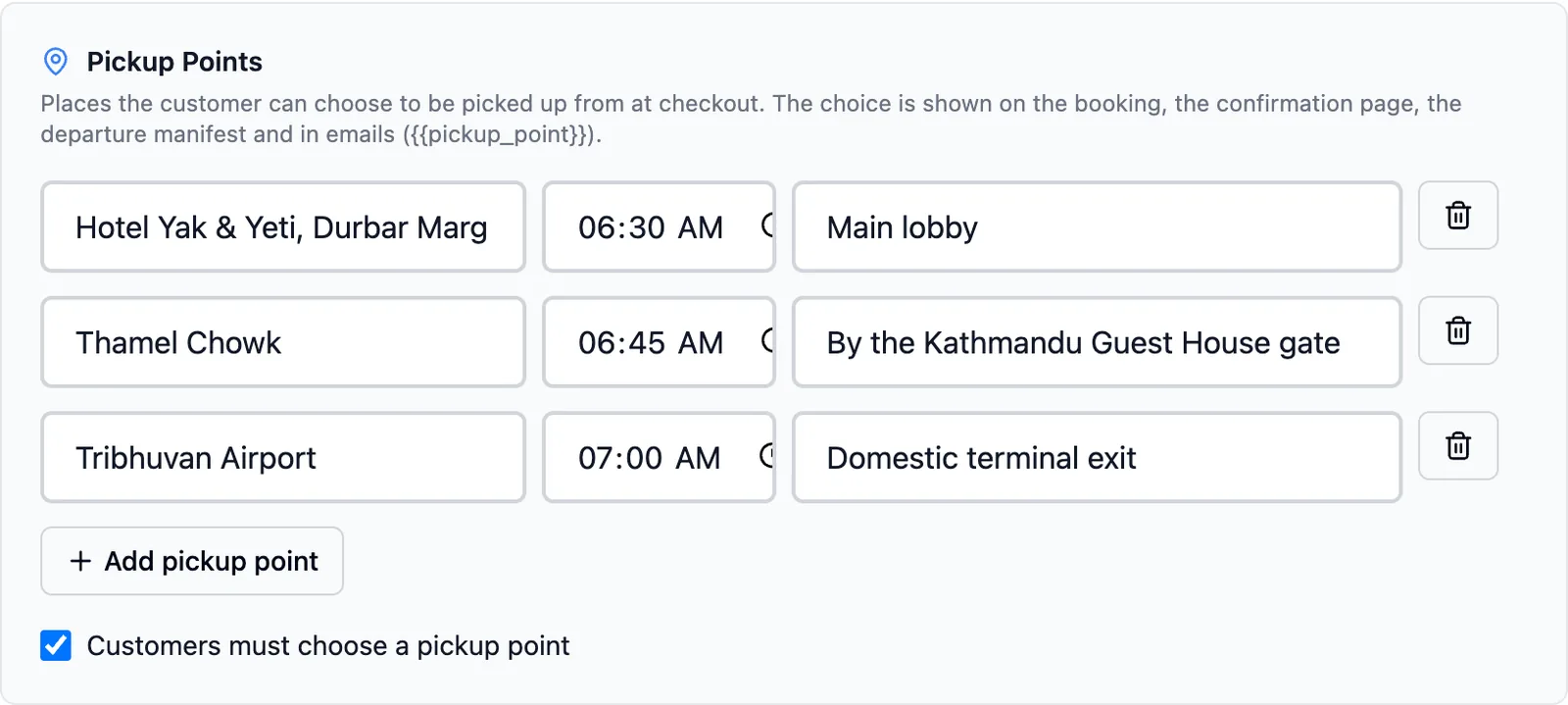
- Up to 50 pickup points per trip, each with a name, an optional time and optional directions or notes.
- Make the choice required, or let customers pick No pickup needed.
- The choice is kept on the booking as it was when booked; renaming a point later doesn't change existing bookings.
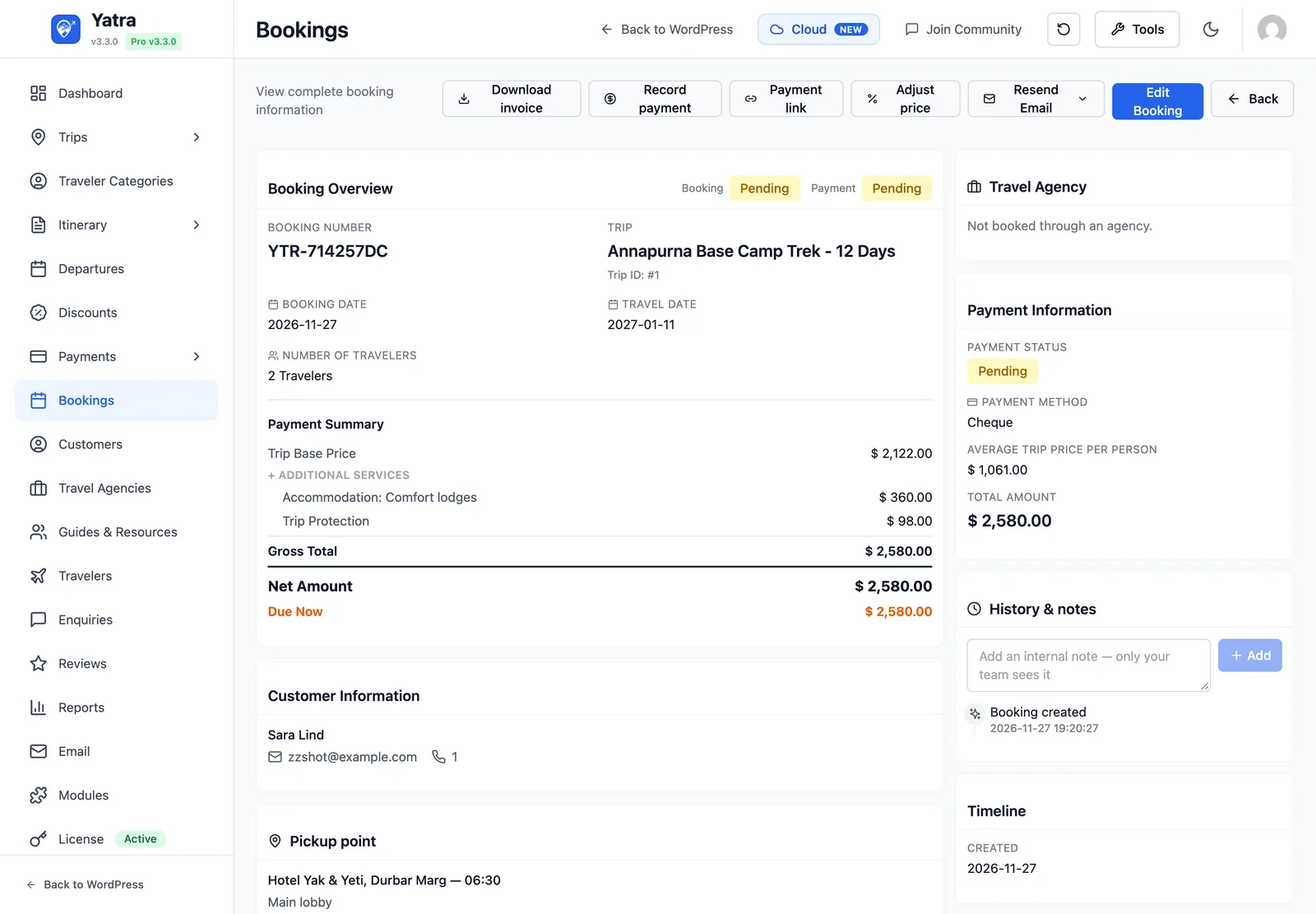
- Shown on the confirmation page, in My Account, on the admin booking screen and as a Pickup point column in the departure manifest CSV.
- Email tags {{pickup_point}}, {{pickup_time}} and {{pickup_point_details}} for confirmations and pre-departure reminders.
See Pickup Points in Yatra
Real screens from a Yatra demo site. Click to enlarge.
Pairs with these Yatra Pro modules
Pro modules that build naturally on top of Pickup Points. Bundle unlocked by any Yatra Pro license.
Guides & Resources
Pro · StarterKeep your guides, vehicles, rooms and equipment in one place. Show guide profiles on the trip pages you choose, assign guides and resources to trip dates, and …
Transactional Emails
FreeThe free Yatra plugin sends about 20 booking emails, from "we've received your booking" to the review request after the trip, plus alerts for your team. Edit t…
Departures & Availability
FreeRun a trip on fixed dates, on a weekly, monthly or every-few-days schedule, or any day in a season. Each date has its own seats, price and booking cutoff, and …
How to set up Pickup Points in Yatra
No engineering. Open Yatra → Modules, toggle, follow the wizard.
-
1
Add the points
Edit a trip → Availability & Booking → Transportation → Pickup Points → Add pickup point.
-
2
Decide if it is required
Tick Customers must choose a pickup point, or leave it optional.
-
3
Use it in emails
Add {{pickup_point}} and {{pickup_time}} to your confirmation or reminder template.
Pickup Points — Yatra Pro FAQ
Want to feel Pickup Points in action first? Try Yatra Pro free →
Can customers choose a pickup location when booking a tour in WordPress?
Does the driver get a list?
What happened to the old Pickup Location field?
Add Pickup Points to your tour-booking website today.
Yatra Pro · Free tier · Bundled in the WordPress.org plugin · Yatra 3.3+
Free download · Yatra Pro adds 27 modules.