
Who and what goes on each trip date.
Guide profiles and resource scheduling for tour operators.
Keep your guides, vehicles, rooms and equipment in one place. Show guide profiles on the trip pages you choose, assign guides and resources to trip dates, and get a warning before you double-book a guide or use more vans than you own.
Single payment per year · 14-day refund · One Pro license unlocks every module on this tier.
Why Guides & Resources matters for tour operators
Guide rosters and vehicle plans often live in a spreadsheet next to the booking system. Nobody notices that the same guide is on two treks in the same week, or that a departure now has more travellers than seats in the van, until it is too late.
What changes once Guides & Resources is on
Concrete operational outcomes — not feature checkboxes.
- Show a Meet your guides section with photo, languages, years of experience and a short bio on the trip pages you pick.
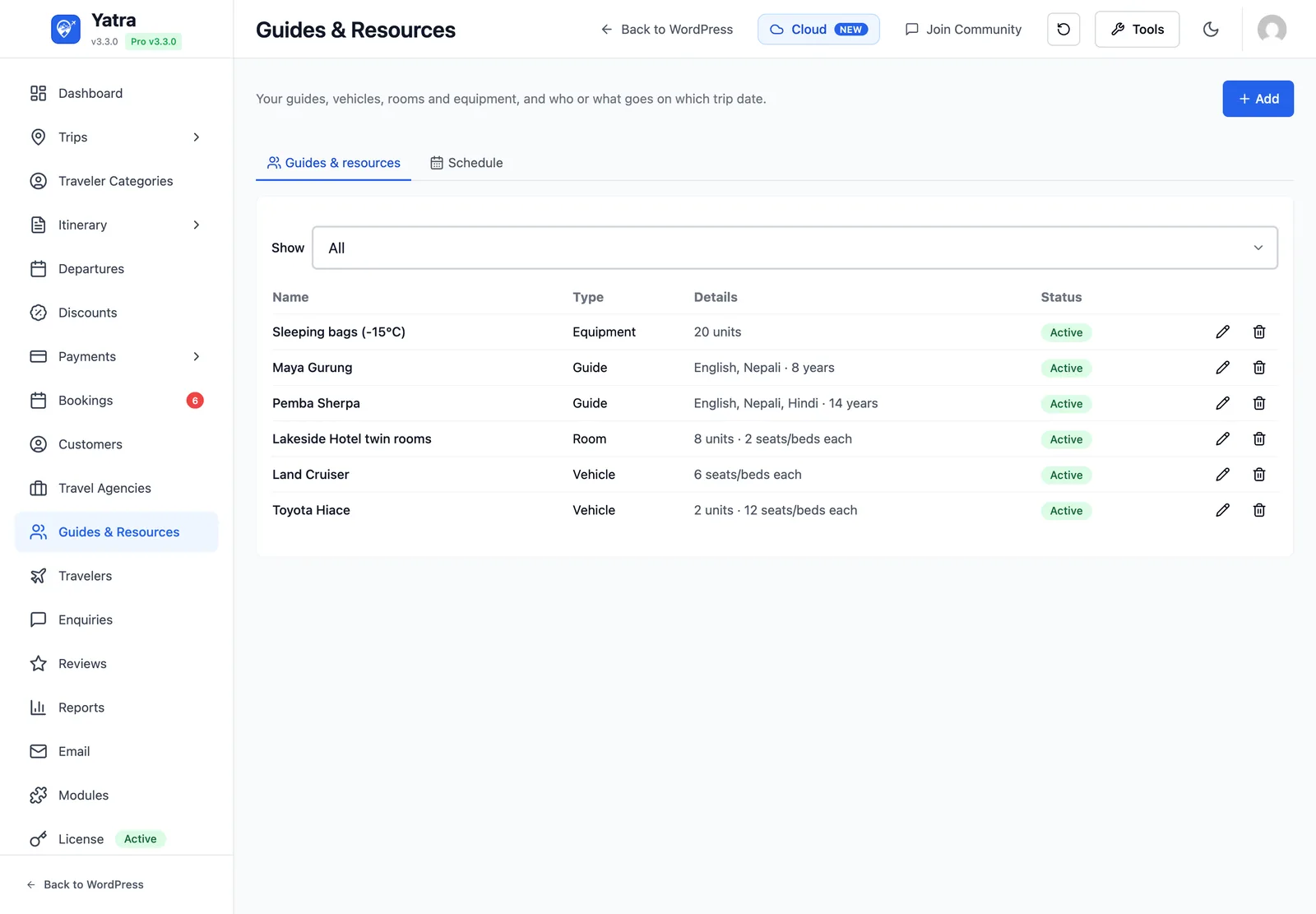
- List vehicles (with seats), rooms (with beds) and equipment, with how many of each you have.
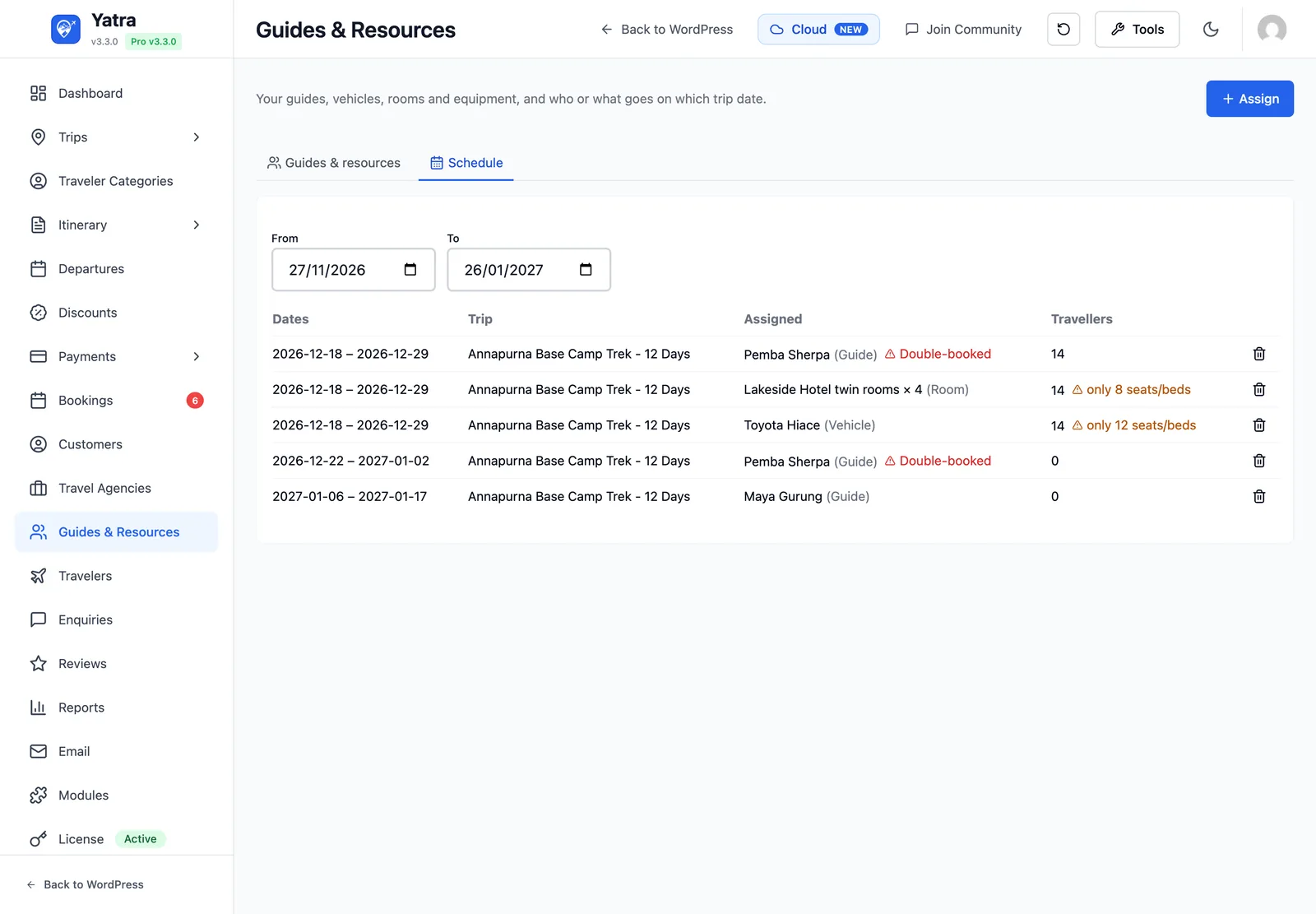
- Assign guides and resources to trip dates. Yatra warns before you double-book and offers Assign anyway.
- See trip dates with more travellers than the seats or beds you assigned.
- Put the assigned guides in booking emails with {{departure_guides}}.
See Guides & Resources in Yatra
Real screens from a Yatra demo site. Click to enlarge.


What Guides & Resources unlocks in Yatra
Every surface, every toggle, every audit trail — covered.
Guide profiles
Name, photo, languages, experience and About text. Phone, email and notes stay staff-only.
Resources
Vehicle, room, equipment or other, with quantities and seats or beds.
Schedule
Assignments in the dates you pick, with travellers booked, Double-booked flags and only N seats/beds warnings.
Inactive, not deleted
Set a guide or resource to Inactive to hide it and keep its history.
REST API
Resources and assignments are available to staff apps through Yatra's REST API.
Pairs with these Yatra Pro modules
Other modules that compose naturally with Guides & Resources. All on the same Pro license — toggle as you need them.
Departures & Availability
FreeRun a trip on fixed dates, on a weekly, monthly or every-few-days schedule, or any day in a season. Each date has its own seats, price and booking cutoff, and …
Pickup Points
FreeList the hotels, meeting points or stops you pick up from on each trip, with an optional time and directions. The customer chooses one at checkout, and the cho…
Google Calendar Integration
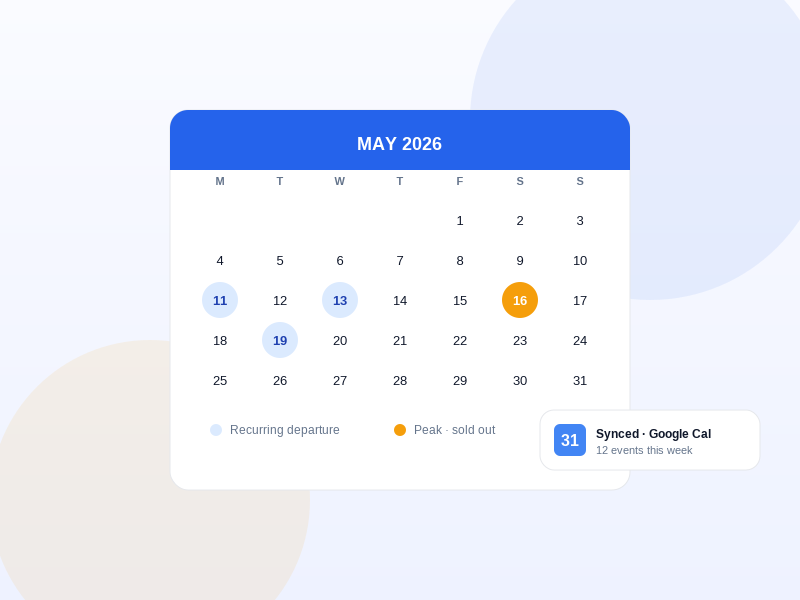
Pro · StarterConnect a Google Calendar and Yatra creates an event for each new booking, updates it when the booking changes and removes it when the booking is cancelled. Pr…
How to set up Guides & Resources in Yatra
No engineering. Open Yatra → Modules, toggle, follow the wizard.
-
1
Turn it on
Yatra → Modules → Guides & Resources. A Guides & Resources menu item appears.
-
2
Add guides and resources
Guides & Resources → Add.
-
3
Show guides on a trip
Edit the trip → Availability & Booking → Guides on the trip page.
-
4
Plan the schedule
Guides & Resources → Schedule → Assign: the guide or resource, the trip and the departure date.
Catch a double-booked guide before the trip, not on the day.
Guides & Resources — Yatra Pro FAQ
Want to feel Guides & Resources in action first? Try Yatra Pro free →
Can I show tour guide profiles on my WordPress trip pages?
Does it stop me double-booking a guide?
Does it sync with Google Calendar or have a guide app?
Can customers see a guide's phone number?
Add Guides & Resources to your tour-booking website today.
Yatra Pro · Starter tier · Yearly or Lifetime · any plan · needs Yatra 3.3+
14-day refund · One license unlocks every module on your tier.