
Real departures, not date pickers.
Per-departure capacity, cutoff windows, recurring rules.
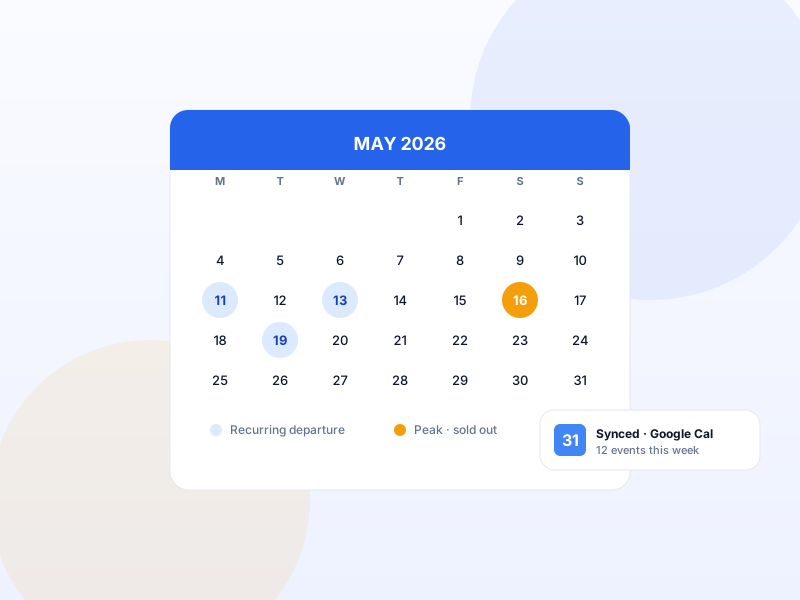
A departure isn't "a variation of a product". It's an event with capacity, advance-booking limits, cutoff times, and per-occurrence pricing. Yatra ships a three-layer availability system — fixed dates, recurring rules (weekly / monthly / interval), and flexible booking — out of the box.
Bundled in the free Yatra plugin · Listed on WordPress.org
Why Departures & Availability matters for tour operators
Most booking plugins reduce departures to date-pickers. That model misses the operator reality: "this trip runs every Monday and Thursday, with cutoff 24h before, max 12 travelers per departure, and a different price for the September peak weeks". Yatra encodes all of that natively.
What changes once Departures & Availability is on
Concrete operational outcomes — not feature checkboxes.
- Per-departure capacity — capped at 12, 20, whatever the trip allows.
- Three rule types — fixed dates, recurring (weekly / monthly / interval), flexible (any date booking).
- Cutoff window per trip — "no bookings within 24 hours of departure".
- Advance-booking window — "must book at least 7 days ahead".
- Excluded dates — skip Christmas week, your owner's vacation, blackout dates.
What Departures & Availability unlocks in Yatra
Every surface, every toggle, every audit trail — covered.
Fixed-date departures
Manually-entered dates. Best for one-off departures, seasonal trips, expedition timetables.
Recurring rules
Every Mon+Thu / 1st Sunday of month / every 14 days. Configurable per trip.
Capacity per departure
Hard cap. Booking page shows "Last 2 spots" when ≤ 2 remaining.
Cutoff + advance booking
Stop accepting bookings X hours before / require Y days ahead. Per-trip configuration.
Excluded dates
Skip specific dates within a recurring rule. Holidays, blackouts, owner unavailability.
Flexible booking
For trips where the operator picks the date with the customer (private bespoke tours).
Pairs with these Yatra Pro modules
Pro modules that build naturally on top of Departures & Availability. Bundle unlocked by any Yatra Pro license.
Google Calendar Integration
Pro · StarterPush every confirmed booking and scheduled departure into Google Calendar automatically. Multi-calendar selection (Adventures / Workshops / Group Tours), per-t…
Flexible Payments
Pro · StarterCustomers commit to a tour months in advance — but few will pay $4,000 upfront. Flexible Payments lets you accept a deposit (e.g. 25%) at checkout and bill the…
Dynamic Pricing
Pro · StarterAuto-adjust trip prices by season, demand, early-bird, last-minute, weekday, or inventory level. Six rule types with stacking and priority. The same revenue-ma…
How to set up Departures & Availability in Yatra
No engineering. Open Yatra → Modules, toggle, follow the wizard.
-
1
Edit any trip
Open a trip in admin. Switch to the Departures tab.
-
2
Pick a rule type
Fixed dates / recurring / flexible. Most operators start with a recurring weekly rule.
-
3
Set capacity + windows
Max travelers per departure, cutoff hours, advance-booking days.
-
4
Verify on the frontend
The trip page now shows real upcoming departures with available capacity.
Departures & Availability — Yatra Pro FAQ
Want to feel Departures & Availability in action first? Try Yatra Pro free →
Can different departures of the same trip have different prices?
What happens when a departure sells out?
How accurate is the inventory? Can two people book the last seat at once?
Add Departures & Availability to your tour-booking website today.
Yatra Pro · Free tier · Bundled in the WordPress.org plugin
Free download · Pro modules add 18 more capabilities.