
Every booking, in the calendar your team already uses.
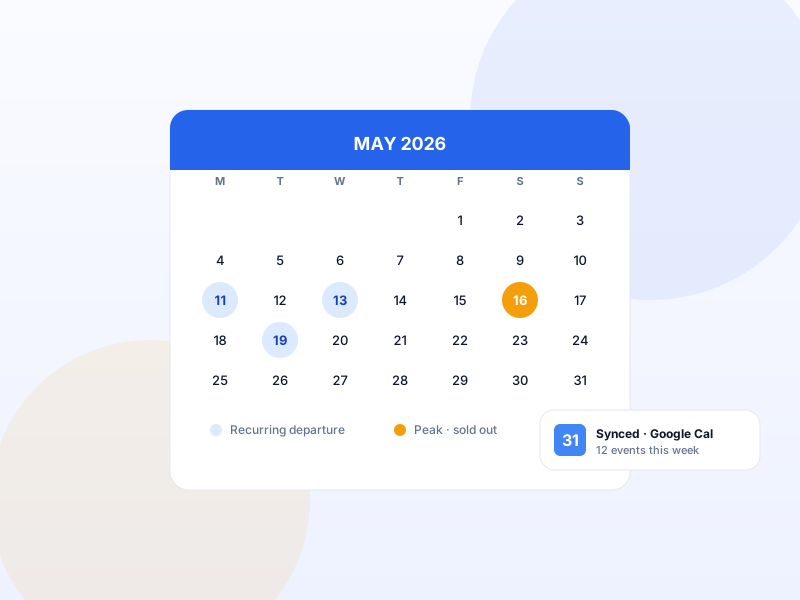
Departures, confirmed bookings → Google Calendar events.
Push every confirmed booking and scheduled departure into Google Calendar automatically. Multi-calendar selection (Adventures / Workshops / Group Tours), per-trip event colour, automatic re-sync on booking edits.
Single payment per year · 14-day refund · One Pro license unlocks every module on this tier.
Why Google Calendar Integration matters for tour operators
Your operations team lives in Google Calendar. Your bookings live in Yatra. Without sync, someone copy-pastes new bookings into the calendar twice a day — or doesn't, and a guide shows up unprepared on a Friday. Native push closes the loop.
What changes once Google Calendar Integration is on
Concrete operational outcomes — not feature checkboxes.
- Confirmed bookings auto-create Google Calendar events with traveler details + trip metadata.
- Departure schedules sync as recurring events — your team sees them in their week-view.
- Cancel a booking → Google Calendar event auto-deletes.
- Multi-calendar — different calendars for Adventures / Workshops / Group Tours.
- Per-trip event colour matches your operational colour-coding.
What Google Calendar Integration unlocks in Yatra
Every surface, every toggle, every audit trail — covered.
OAuth connection
Standard Google OAuth flow. Connect your Google account once. Yatra stores refresh token.
Multi-calendar
Pick a target calendar per trip category — Adventures go to one, Workshops to another.
Per-trip color
Override Google's default colour palette per trip. Operational at a glance.
Event metadata
Booking number, traveler names + counts, contact phone, total revenue. All on the calendar event.
Booking-edit re-sync
Edit a booking in Yatra → matching Google Calendar event updates immediately.
Cancellation handling
Cancel in Yatra → event auto-deletes in Google Calendar. No stale events.
Pairs with these Yatra Pro modules
Other modules that compose naturally with Google Calendar Integration. All on the same Pro license — toggle as you need them.
Departures & Availability
FreeA departure isn't "a variation of a product". It's an event with capacity, advance-booking limits, cutoff times, and per-occurrence pricing. Yatra ships a thre…
Trip Consent
Pro · StarterLiability waivers, photo-release consents, COVID health declarations — signed digitally per traveler during checkout. Standalone waiver SaaS charges $24–$99/mo…
Dynamic Form Field
Pro · StarterDietary requirements on the food tour. Skill level on the kayak trip. Passport number on the international expedition. Drag-and-drop builder for custom fields …
How to set up Google Calendar Integration in Yatra
No engineering. Open Yatra → Modules, toggle, follow the wizard.
-
1
Create OAuth credentials
Google Cloud Console → Create OAuth credentials for Web. Add Yatra's callback URL.
-
2
Enable + paste
Yatra → Modules → Google Calendar → toggle on. Paste Client ID + Secret. Click "Connect Google".
-
3
Authorize Yatra
Standard Google OAuth consent screen. Pick the Google account that owns the calendar you want bookings to land in.
-
4
Configure per-category
Map trip categories to target calendars + colours. Done — every new booking now syncs automatically.
Eliminates daily double-entry between booking system and operations calendar.
Google Calendar Integration — Yatra Pro FAQ
Want to feel Google Calendar Integration in action first? Try Yatra Pro free →
Does this work with Google Workspace (formerly G Suite)?
What if my team uses Outlook Calendar instead?
Will calendar events show customer email / phone?
Add Google Calendar Integration to your tour-booking website today.
Yatra Pro · Starter tier · Yearly or Lifetime
14-day refund · One license unlocks every module on your tier.