
Ask what you need before you reply.
Add your own questions to the trip enquiry form.
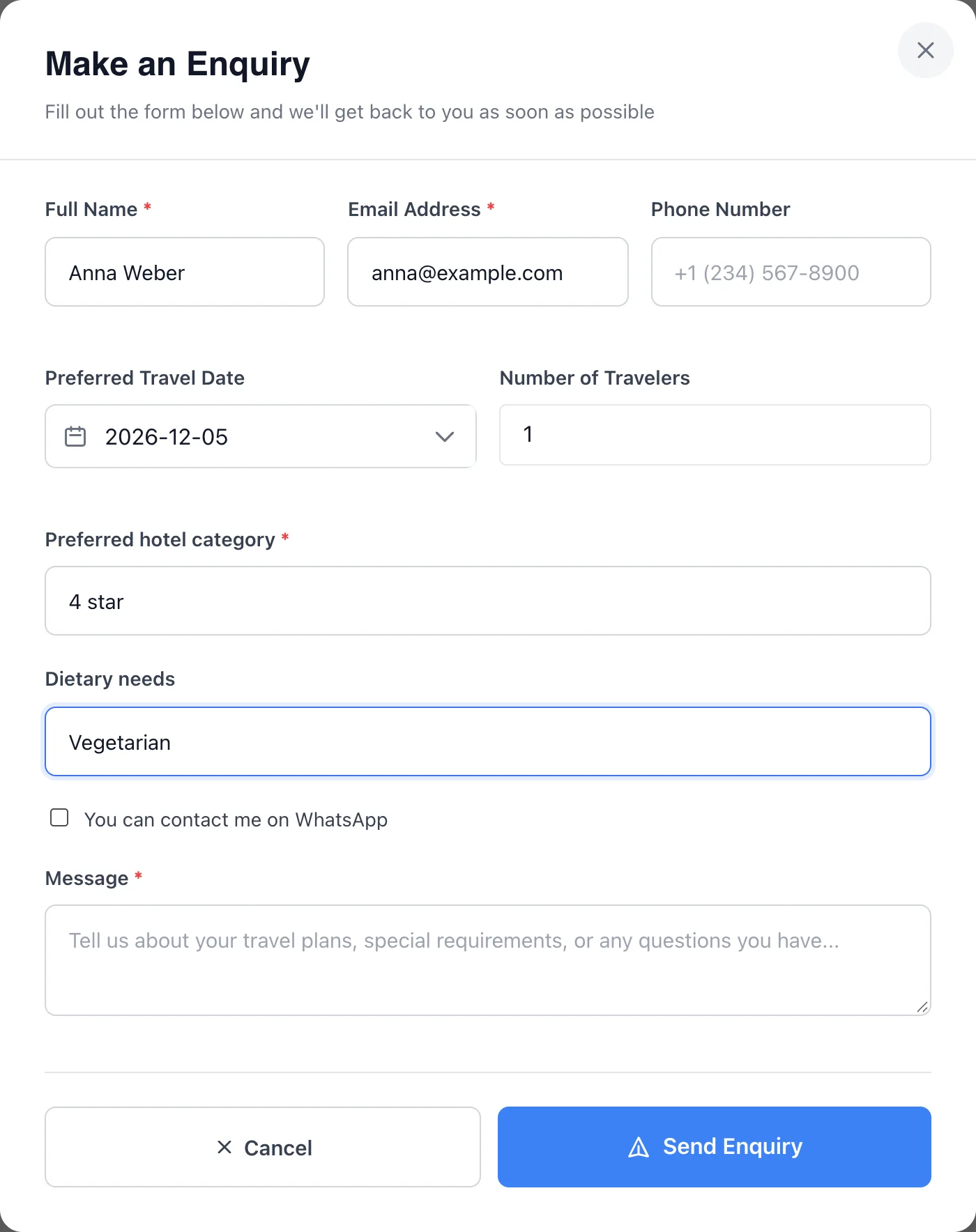
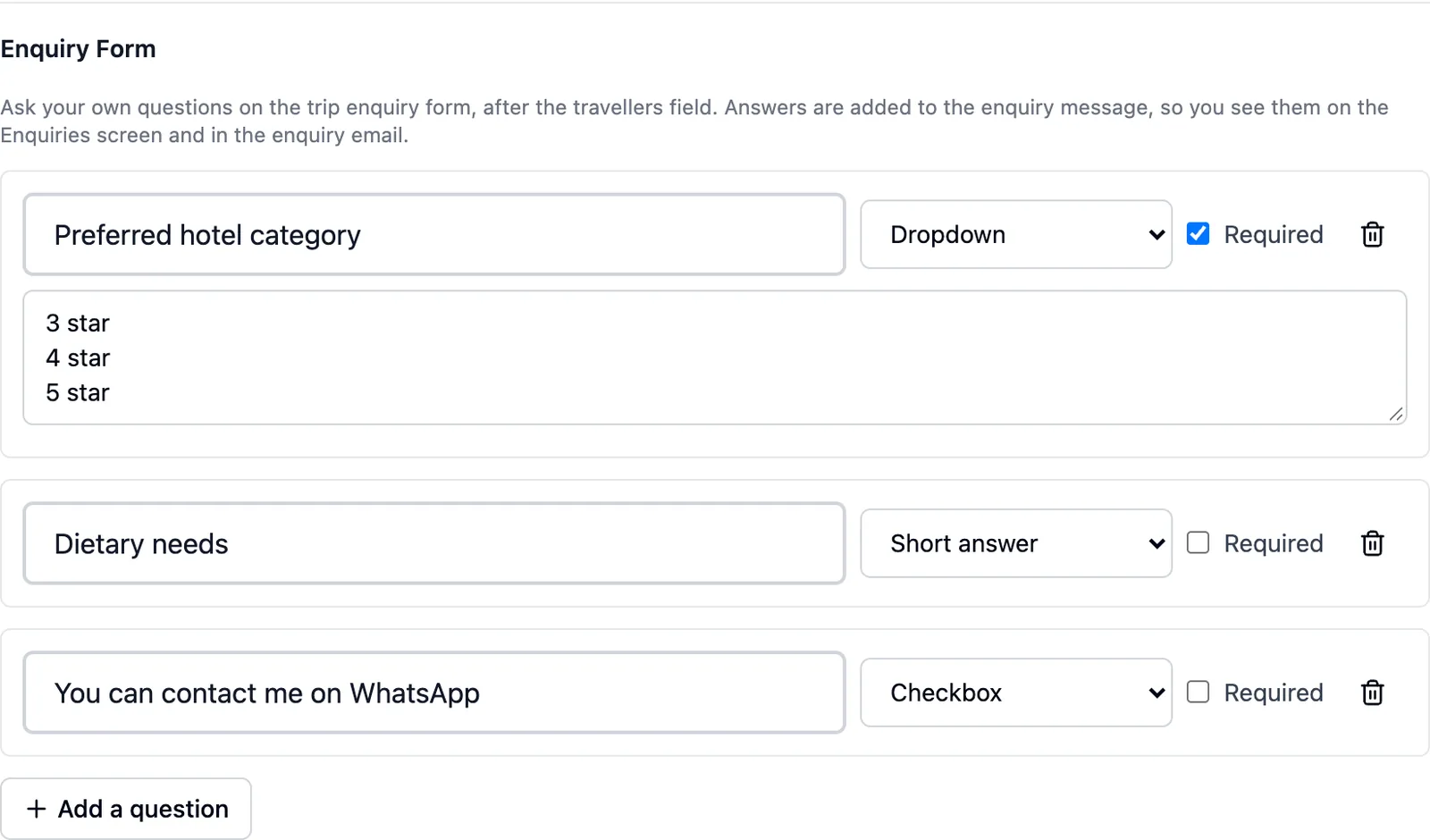
Add up to 10 questions to the enquiry form, such as preferred dates, group size or budget. Each can be a short answer, paragraph, dropdown or checkbox, optional or required. Answers are added to the enquiry message.
Bundled in the free Yatra plugin · Listed on WordPress.org
Why Enquiry Form Questions matters for tour operators
A bare name-and-message enquiry usually needs a round of questions before you can quote. Every extra email is another chance for the lead to go cold.
What changes once Enquiry Form Questions is on
Concrete operational outcomes — not feature checkboxes.
- Up to 10 questions of your own on the trip enquiry form.
- Short answer, paragraph, dropdown or checkbox; optional or required.
- Answers are added to the enquiry message, so they appear on the Enquiries screen and in the enquiry email.
See Enquiry Form Questions in Yatra
Real screens from a Yatra demo site. Click to enlarge.
Pairs with these Yatra Pro modules
Pro modules that build naturally on top of Enquiry Form Questions. Bundle unlocked by any Yatra Pro license.
Enquiries Inbox
FreeEvery trip page has an Enquire form. Questions arrive in Yatra → Enquiries with the trip, preferred date and number of travelers attached. You reply from the a…
Itinerary Downloader
Pro · StarterA Download itinerary (PDF) button appears in the trip page's itinerary section. The visitor enters their name and email, and Yatra emails them the day-by-day i…
Dynamic Form Field
Pro · StarterAdd fields to the contact, emergency-contact and traveler sections of the booking form, then give some trips their own version: dietary needs on food tours, fi…
How to set up Enquiry Form Questions in Yatra
No engineering. Open Yatra → Modules, toggle, follow the wizard.
-
1
Add questions
Yatra → Settings → Booking → Enquiry Form.
-
2
Choose the type
Short answer, paragraph, dropdown or checkbox, and whether it is required.
-
3
Read the answers
In Yatra → Enquiries and in the enquiry email.
Enquiry Form Questions — Yatra Pro FAQ
Want to feel Enquiry Form Questions in action first? Try Yatra Pro free →
Can I add custom fields to the tour enquiry form?
Is this the same as the booking form builder?
Can developers change the questions in code?
Add Enquiry Form Questions to your tour-booking website today.
Yatra Pro · Free tier · Bundled in the WordPress.org plugin · Yatra 3.3+
Free download · Yatra Pro adds 27 modules.