
How to Fix “Forbidden (403)” Error in Yatra Plugin API Requests
If you are seeing a “Forbidden (403)” error while using the Yatra plugin, it means your server is blocking the API request sent by the plugin.
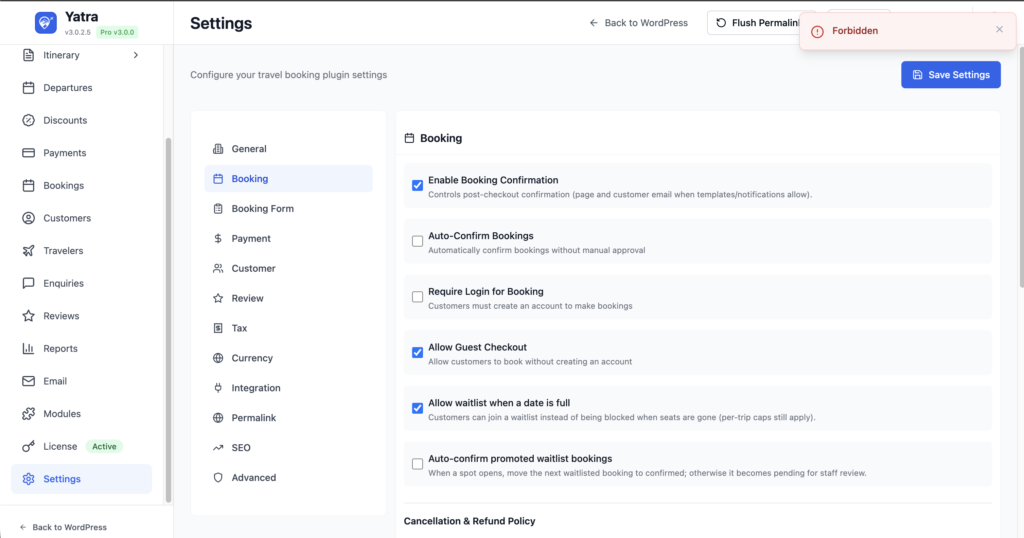
🚨 Why This Happens
This issue is usually caused by server-side security restrictions. Common reasons include:
- Firewall or Web Application Firewall (WAF) blocking the request
- ModSecurity rules rejecting the JSON payload
- WordPress security plugins interfering with the request
- REST API access being restricted
- Missing or blocked request headers
✅ Step-by-Step Solution
Follow these steps to resolve the issue:
1. Temporarily Deactivate Security Plugins
Some WordPress security plugins can block API requests.
Go to your WordPress Dashboard → Plugins → Installed Plugins, and temporarily deactivate plugins like:
- Wordfence
- iThemes Security
- All-In-One WP Security
- Any firewall or security-related plugin
Then test the API request again.
2. Check Firewall or CDN (Cloudflare, etc.)
If you are using services like Cloudflare or any server firewall:
- Temporarily disable protection (or switch to “Development Mode”)
- Check firewall logs for blocked requests
- Whitelist the request if possible
3. Verify REST API Access
Make sure your WordPress REST API is working:
- Try opening:
https://yourwebsite.com/wp-json/
If this is blocked or not loading, your server or a plugin may be restricting access.
4. Test the API Request Manually
Use tools like:
- Postman
- cURL
Send the same JSON payload manually.
If it still returns 403, the issue is definitely on the server side.
5. Disable ModSecurity (If Available)
Some hosting panels allow you to disable ModSecurity:
- Log in to your hosting control panel (cPanel, etc.)
- Look for ModSecurity settings
- Temporarily disable it and test again
📩 If the Issue Still Persists
If none of the above steps solve the problem, you should contact your hosting provider.
When contacting ( Hosting ) support, provide:
- The error message (403 Forbidden)
- The API request payload (JSON)
- The API endpoint being used
Ask them clearly:
“Please check why this API request is being blocked and whitelist/allow this request with the provided payload.”
📝 Summary
This error is not caused by the Yatra plugin itself.
It is usually due to server or security restrictions blocking valid API requests.
By disabling security layers and testing step-by-step, you can identify the exact cause and resolve it quickly.