
Standard, deluxe or private: the customer picks.
Accommodation options: hotel categories and room types at checkout.
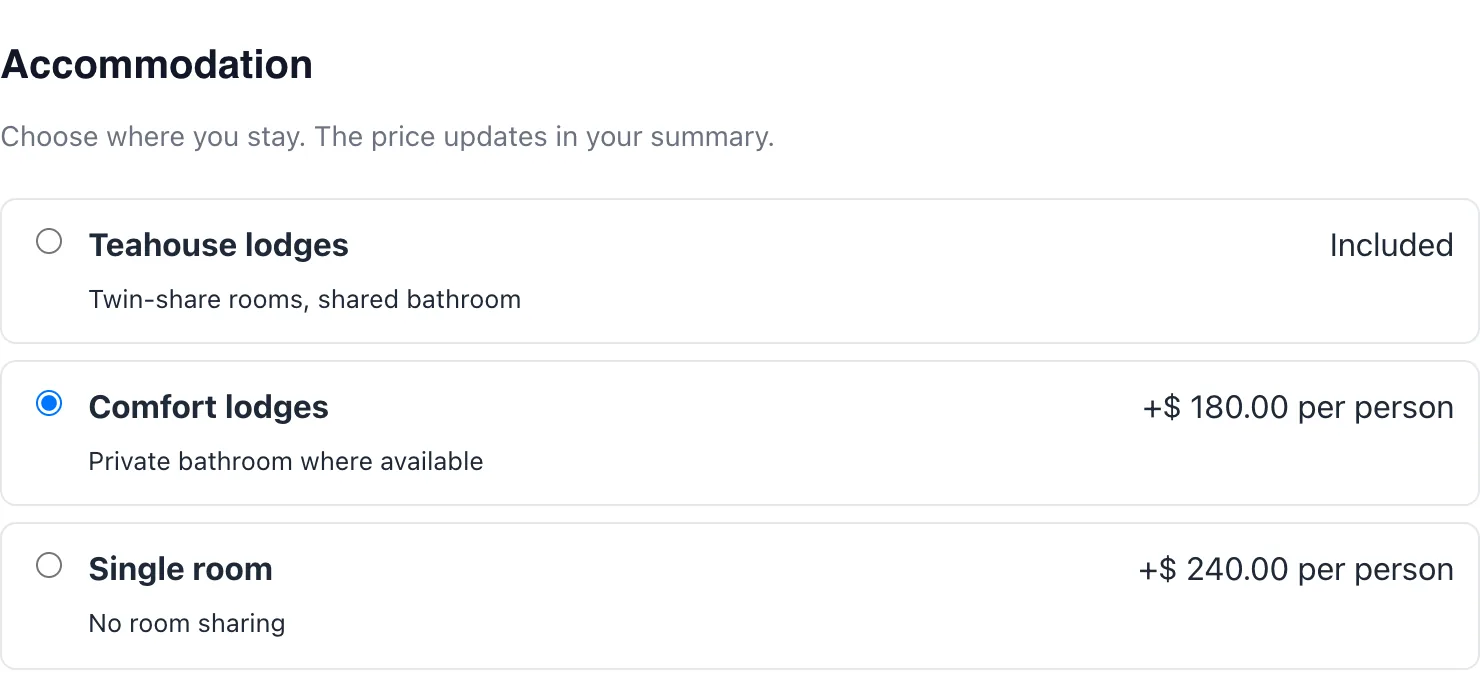
List the accommodation choices for a trip, for example Standard lodge (included), Deluxe hotel +120 per person or Private villa +500 per booking. The customer chooses at checkout and the price updates in the summary as they choose.
Bundled in the free Yatra plugin · Listed on WordPress.org
Why Accommodation Options matters for tour operators
Multi-day trips often come in more than one comfort level. Without a choice at checkout, operators create a copy of the trip per hotel category or sort out upgrades by email after booking.
What changes once Accommodation Options is on
Concrete operational outcomes — not feature checkboxes.
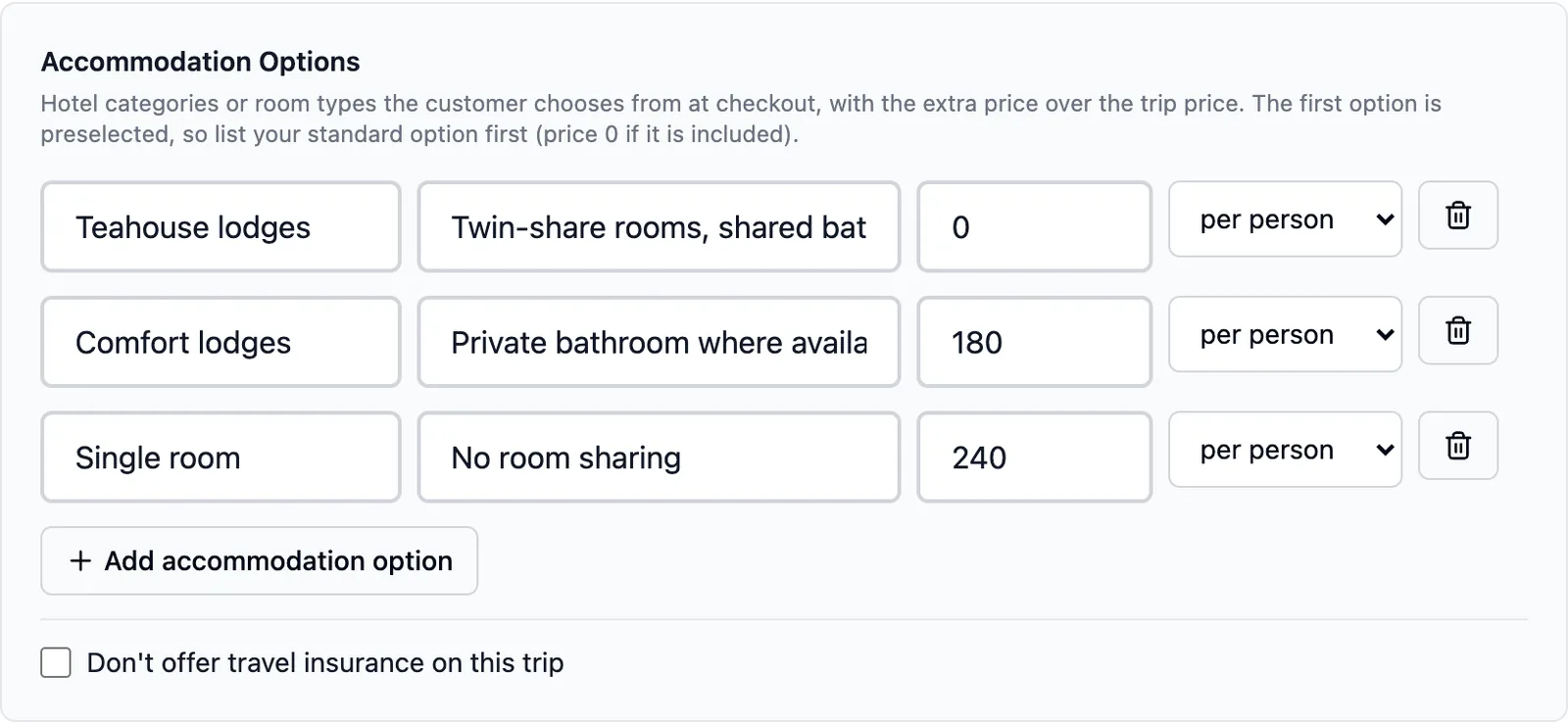
- Each option has an extra price per person or per booking, or none.
- The first option is preselected, so list your standard option first.
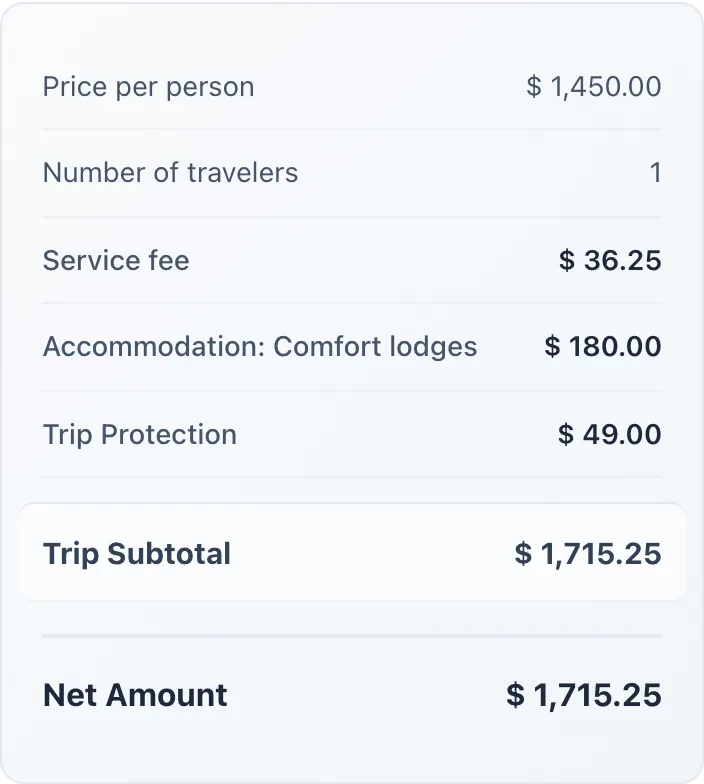
- The summary re-prices as the customer chooses.
- The choice shows on the booking, the confirmation page, My Account, the departure manifest and in emails as {{accommodation}}.
See Accommodation Options in Yatra
Real screens from a Yatra demo site. Click to enlarge.
Pairs with these Yatra Pro modules
Pro modules that build naturally on top of Accommodation Options. Bundle unlocked by any Yatra Pro license.
Additional Services
Pro · StarterAdditional Services shows your extras when the customer clicks Book Now, and adds the ones they pick to the booking total. Charge a fixed amount or a percentag…
Travel Insurance at Checkout
FreeAdd insurance to checkout with your own name, description and policy link. Price it per traveller, as a percentage of the trip price, or per booking. The custo…
Private Trips
Pro · StarterAt checkout the customer ticks Make this a private trip. Your private-trip fee is added to the price, and from then on nobody else can book that departure. It …
How to set up Accommodation Options in Yatra
No engineering. Open Yatra → Modules, toggle, follow the wizard.
-
1
Add the options
Edit a trip → Availability & Booking → Accommodation Options. Put the standard option first.
-
2
Set the extra price
Per person, per booking, or nothing for an included option.
-
3
Customers choose
At checkout, with the total updating as they change it.
Accommodation Options — Yatra Pro FAQ
Want to feel Accommodation Options in action first? Try Yatra Pro free →
Can customers choose a hotel or room type when booking a tour?
What do bookings made without a choice get?
Is this the same as Additional Services?
Add Accommodation Options to your tour-booking website today.
Yatra Pro · Free tier · Bundled in the WordPress.org plugin · Yatra 3.3+
Free download · Yatra Pro adds 27 modules.