
Built-in operational dashboards.
See what's selling, what's booked, what's coming.
Sales over time, top-trip ranking, top-destination breakdown, monthly summaries, refund tracking, and an exportable bookings list. Built into the free plugin — no Google Sheets export job, no BI tool.
Bundled in the free Yatra plugin · Listed on WordPress.org
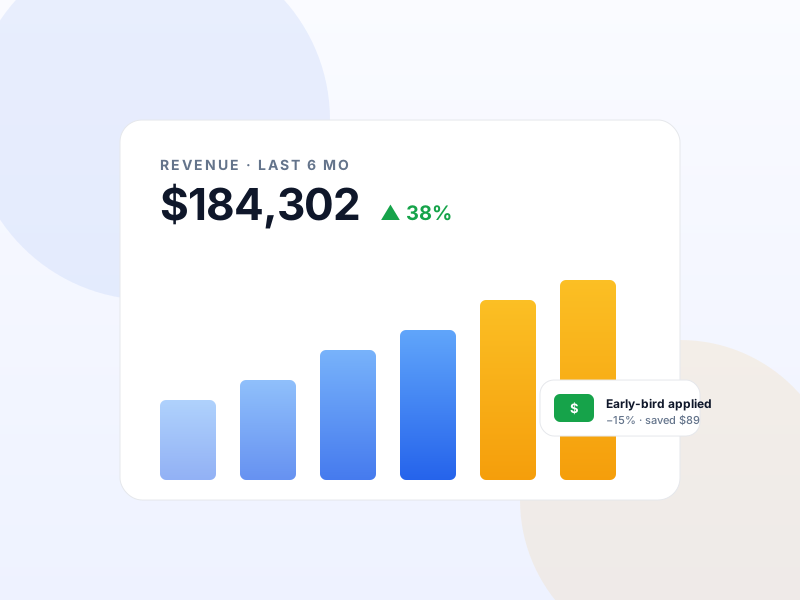
Why Sales Reports matters for tour operators
Most operators end up exporting bookings to a spreadsheet weekly just to answer "how did Q3 go?". Yatra's built-in reports answer the common questions inline — no spreadsheet, no SaaS dashboard.
What changes once Sales Reports is on
Concrete operational outcomes — not feature checkboxes.
- Sales over time (day / week / month / quarter views).
- Top trips by revenue + by booking count.
- Top destinations + activities.
- Refund tracking — gross revenue vs net after refunds.
- Exportable bookings CSV for the accountant.
What Sales Reports unlocks in Yatra
Every surface, every toggle, every audit trail — covered.
Sales over time
Line chart with daily / weekly / monthly granularity. Compare YoY.
Top trips
Ranked by revenue and by booking count. Identify your bestsellers.
Top destinations
Revenue + bookings per destination. Spot which destinations are over- and under-performing.
Refund report
Gross vs net revenue per period. Compute true contribution after cancellations.
CSV export
Export filtered bookings as CSV for accounting, payroll, or external BI.
Pairs with these Yatra Pro modules
Pro modules that build naturally on top of Sales Reports. Bundle unlocked by any Yatra Pro license.
Google Analytics 4
Pro · StarterGA4 ecommerce events fired automatically (view_item, begin_checkout, purchase, refund). Measurement Protocol server-side mirror for ad-block / cookieless track…
Dynamic Pricing
Pro · StarterAuto-adjust trip prices by season, demand, early-bird, last-minute, weekday, or inventory level. Six rule types with stacking and priority. The same revenue-ma…
Facebook Pixel
Pro · StarterDrop the Meta Pixel in three clicks. Fire ViewContent, InitiateCheckout, Purchase, AddPaymentInfo automatically. Server-side Conversions API survives iOS 14.5+…
How to set up Sales Reports in Yatra
No engineering. Open Yatra → Modules, toggle, follow the wizard.
-
1
Open Reports
Yatra → Reports. The dashboard surfaces all built-in reports on tabs.
-
2
Pick a date range
Global date-range picker drives every chart and table on the page.
-
3
Drill into a trip / destination
Click any row in a top-N table to see bookings underlying that aggregate.
-
4
Export when needed
CSV export button on any filtered booking list.
Sales Reports — Yatra Pro FAQ
Want to feel Sales Reports in action first? Try Yatra Pro free →
Are reports real-time?
Can I get GA4 / Facebook attribution alongside?
Add Sales Reports to your tour-booking website today.
Yatra Pro · Free tier · Bundled in the WordPress.org plugin
Free download · Pro modules add 18 more capabilities.